

QA test-management · in your repo
The desktop IDE for QA engineers.
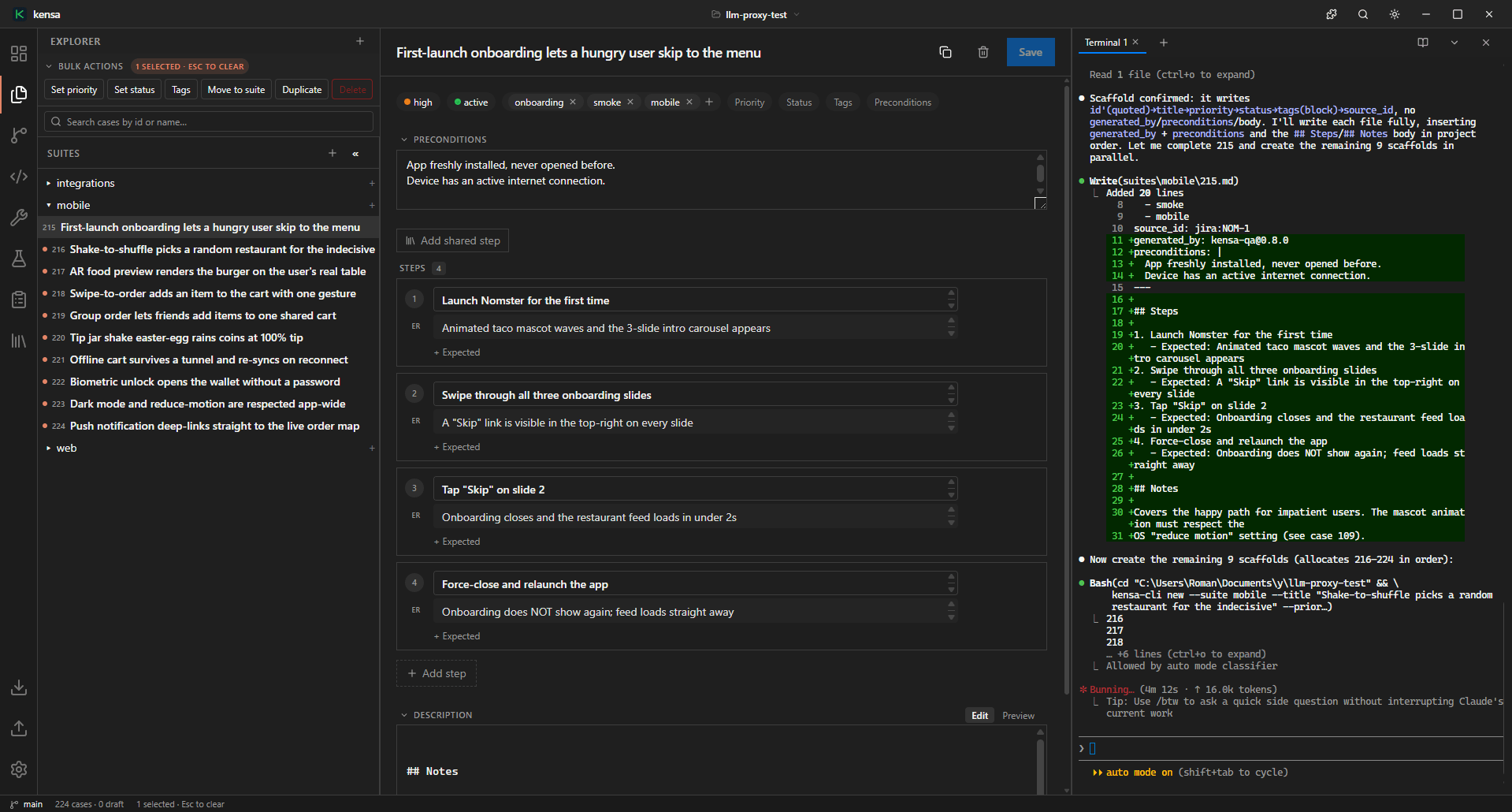
Write, review and maintain test cases like code - with the tools QA reaches for every day built right in. Local-first, stored in your own git repo.
Windows · macOS · Linux
Your TMS, your way
Bring your cases over - or run the whole thing in git.
Import what you already have from another TMS and keep working locally - or go all-in and run Kensa as a full-cycle test-management system. Either way every case is a plain file in your repo. Your data never lives on someone else's server.
- Migrate existing cases from another TMS
- Work locally, commit when you're ready
- Run Kensa as your full-cycle TMS
- Everything stored in your own git repo
Built-in tools
The utilities QA reaches for - without leaving the IDE.
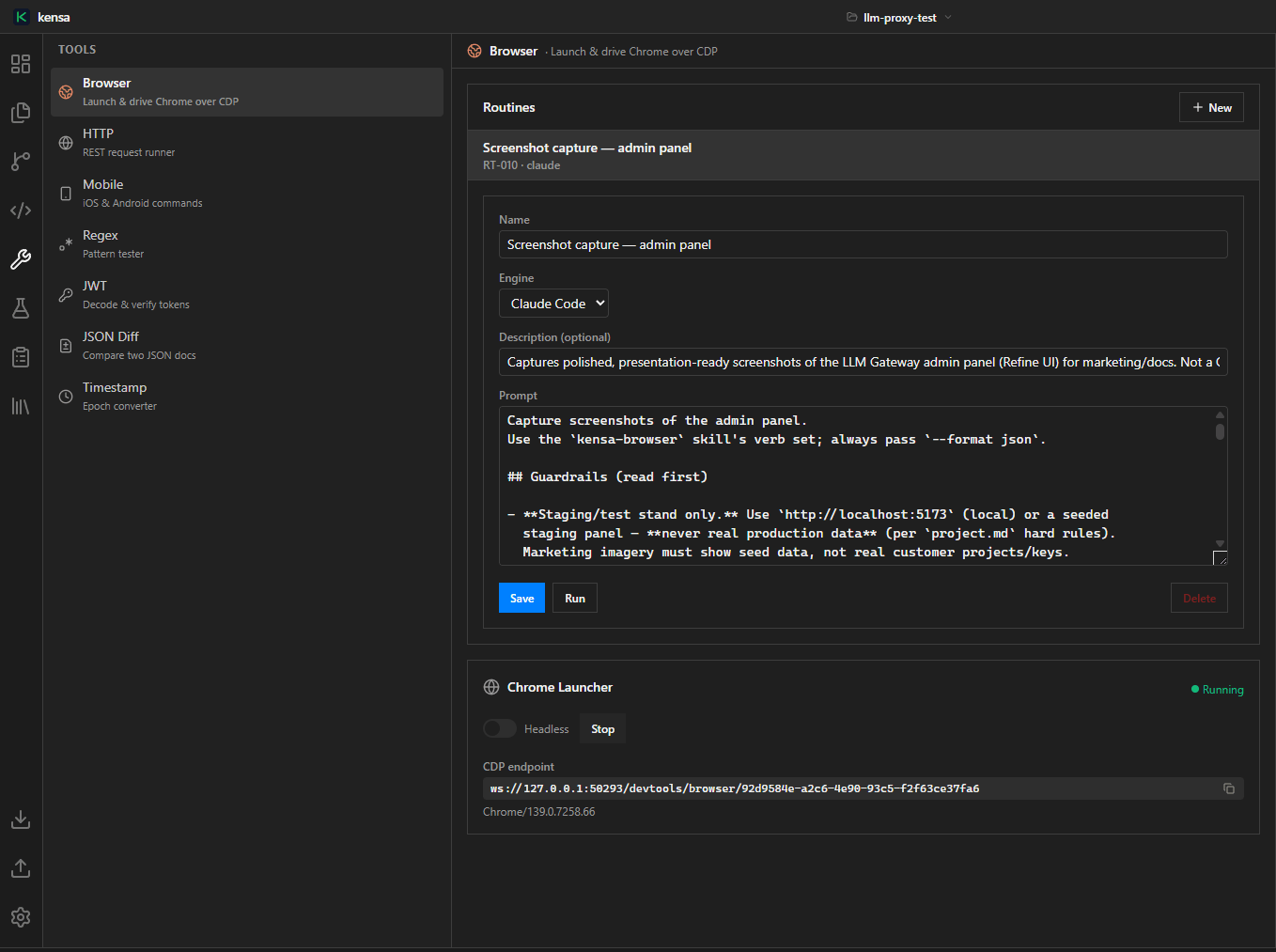
Browser
Spin up a real Chrome straight from the IDE and drive it over CDP. Wire browser routines to the kensa CLI so an agent can open a page, check it, and write the result back to the case.
Under the hood
Not just a case editor. A CLI built for agents.
A 30-command binary ships with the app, already on your terminal's PATH. Agents use it to navigate huge test bases, analyze and validate them - filter, lint, dedupe, coverage, traceability. And migration runs both ways: import cases in, then export them back to your TMS.
Built for both humans and AI agents.

~/acme-tests❯kensa filter "tag:smoke and priority:high" --format ids
AUTH-218 AUTH-219 CART-104 CART-110
~/acme-tests❯kensa context 218
# minimal editing context for one case
cases/auth/login.md · 4 steps · 2 tags
~/acme-tests❯kensa lint
# rule checks across the project
✓ 312 cases · 0 errors · 3 warnings

Kensa-QA plugin
You're not a solo QA anymore.You're a one-man army.
The Kensa-QA plugin spawns as many expert agents as you need - a test-lead, ISTQB-grounded engineers, plus risk, API, web, mobile, security and performance specialists - all fighting alongside you. Point them at a ticket; get committed test cases back.
- LEAD
- ISTQB
- RISK
- API
- WEB
- MOBILE
- SECURITY
- PERF